CSA (/org/[orgId]/csa)
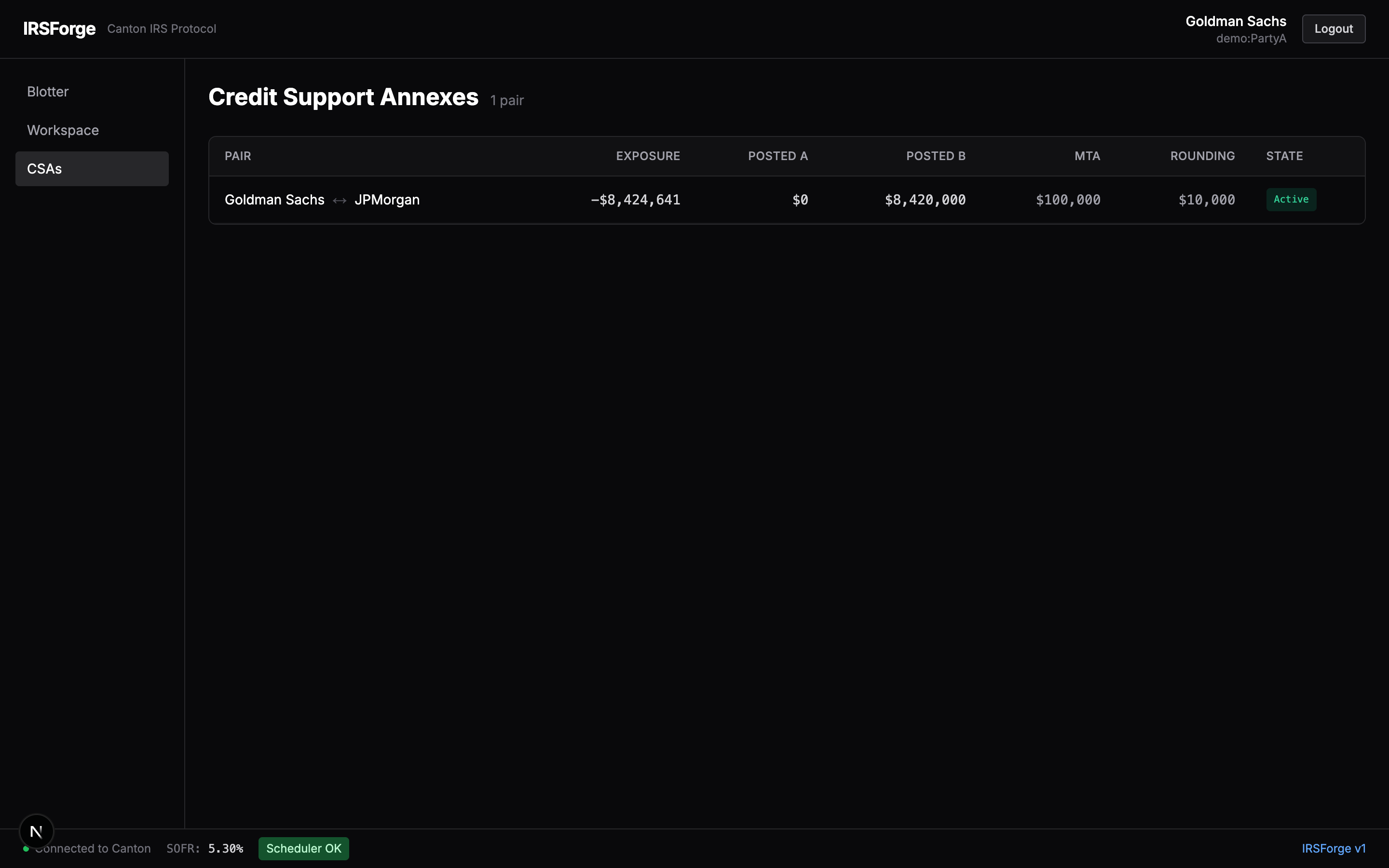
Purpose: view and act on the Credit Support Annex — post collateral, withdraw excess, dispute marks, resolve disputes.
Who uses it: counterparties (post / withdraw / dispute), operator (resolve).
MARS analog: the MARS collateral / margin module — same ladder layout, same dispute workflow, fully on-chain. See SWPM / MARS parity.
Source: app/src/features/csa/.
See CSA Model for the underlying signed-CSB convention.
CSA proposals
When there is at least one open Csa.Proposal:CsaProposal involving the active party, a CSA PROPOSALS section renders above the active-CSA list. Columns: direction, counterparty, MTA, threshold A/B, rounding. Per-direction actions:
| Direction | Visible actions | Choice fired |
|---|---|---|
In (you are counterparty) | Accept / Reject | CsaProposalAccept / CsaProposalReject |
Out (you are proposer) | Withdraw | CsaProposalWithdraw |
Observer | — | — |
The New CSA proposal button lives on this trader-side /csa page (next to the page header), gated !isOperator. Operators don't propose CSAs — the resulting Csa would have partyA = Operator which is structurally invalid since operator can't be a trading party. Counterparties see the proposed row mirrored here as In direction and accept/reject from the same table.
Operator does not see the New CSA proposal button, but can still see incoming proposals routed to the operator queue when directionForMe resolves (which it doesn't for operator — they are always Observer, so the actions cell is empty).
Accepting creates a live Csa contract with identical terms — including the three production-shape fields below — and csb = empty, state = Active. It appears in the list below immediately.
New CSA proposal modal
The proposal modal carries seven economic terms (counterparty, threshold per direction, MTA, rounding, valuation CCY, eligible collateral) plus three production-shape fields shipped 2026-04-29 (commit 49ed720):
| Field | Purpose | Where it lives |
|---|---|---|
| ISDA Master Agreement reference | Pair-level identifier for the signed MA that governs all CSAs/swaps between two counterparties. Real banks reference one MA across many trades, so this is YAML-driven when a registry entry exists, free-text fallback when not. | Csa.isdaMasterAgreementRef: Text — signed verbatim on chain |
| Governing law | Legal regime (NewYork | English | Japanese). Locked by the MA registry when a pair has one — you can't pick incompatible combinations. | Csa.governingLaw: GoverningLaw enum |
| Initial Margin | Pair-level IM amount. Observable but not enforced in v1 — regulator + UI display it; posting/withdraw flows still operate on VM as today. | Csa.imAmount: Decimal |
Pinned-MA branch
When the active-party + selected-counterparty pair has an entry in masterAgreements: YAML, the modal shows a read-only "ISDA Master Agreement on file" block with the reference and Governed by NY law (or English / Japanese). The free-text input + governing-law dropdown are hidden — the trader can't fat-finger the reference and can't pick a law inconsistent with the MA. Submit is enabled without typing because the values are pinned.
Free-text fallback
When the pair is not registered, the modal shows the original two inputs side-by-side: ISDA MA reference (text) + Governing law (NY / English / Japanese). The reference is required to enable Submit; governing law defaults to NewYork.
See BYO Integrator Overview for the YAML registry shape and CSA Model for the on-chain field semantics.
List
One row per Csa contract visible to the active party. Columns:
| Column | Meaning |
|---|---|
| Counterparties | partyA ↔ partyB |
| Reporting ccy | valuationCcy |
| Signed CSB | Per-currency, signed (positive = A pledged) |
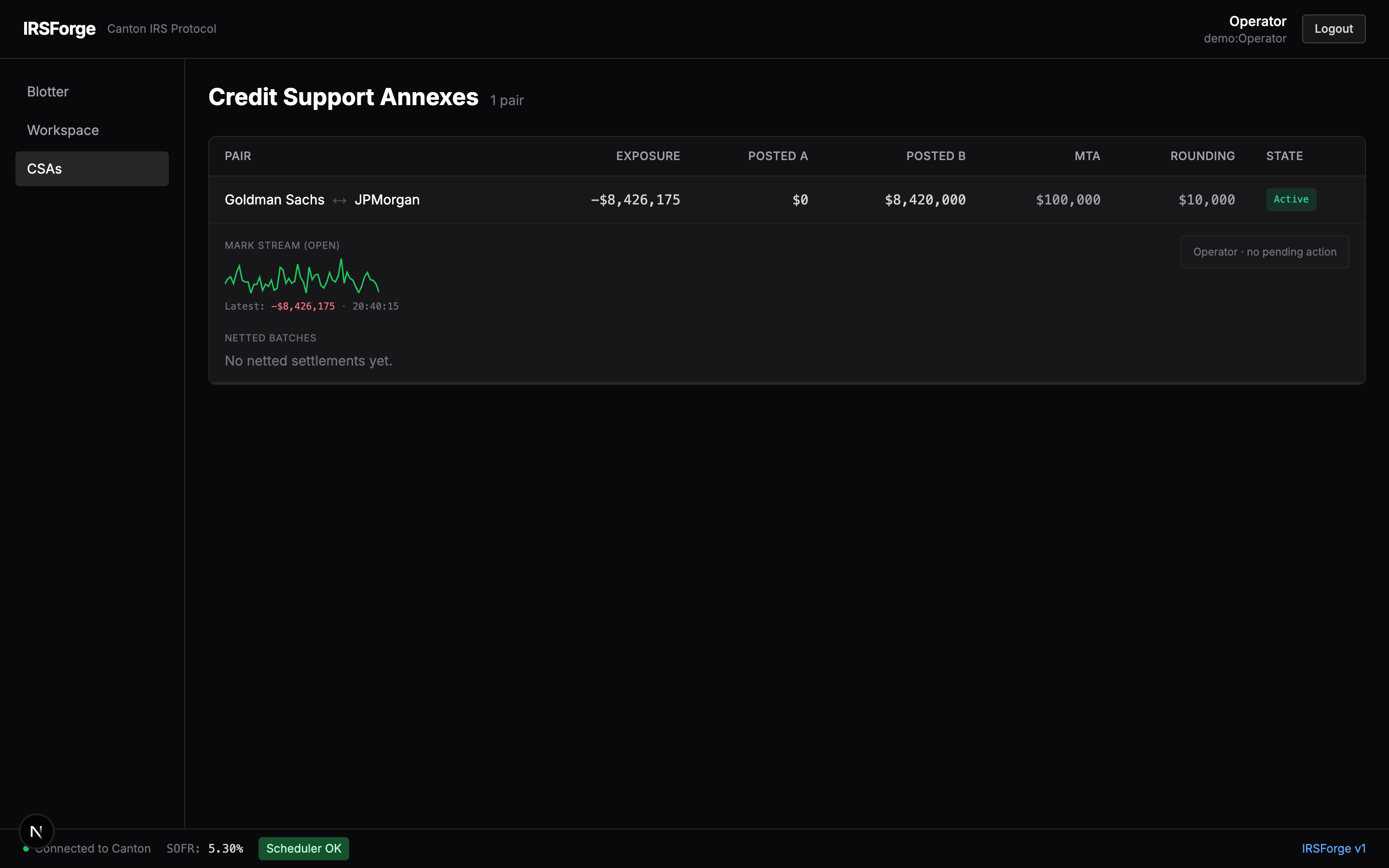
| Exposure | Absolute amount + viewer-relative caption: $8.6M · cpty owes me / $8.6M · I owe cpty / $0 · flat — same convention as the blotter's Collateral tile. The underlying mark is signed "A owes B" on chain; this cell translates to the viewer's perspective so a reader doesn't have to know which side they are on. |
| Call | Outstanding call amount, framed from the viewer's side (Post $X if you're the funder, Call $X from <cpty> otherwise) |
| State | Active / MarginCallOutstanding / MarkDisputed / Escalated / Terminated |
| Mark sparkline | History from MarkSnapshot |
Clicking a row opens the drawer.
Drawer
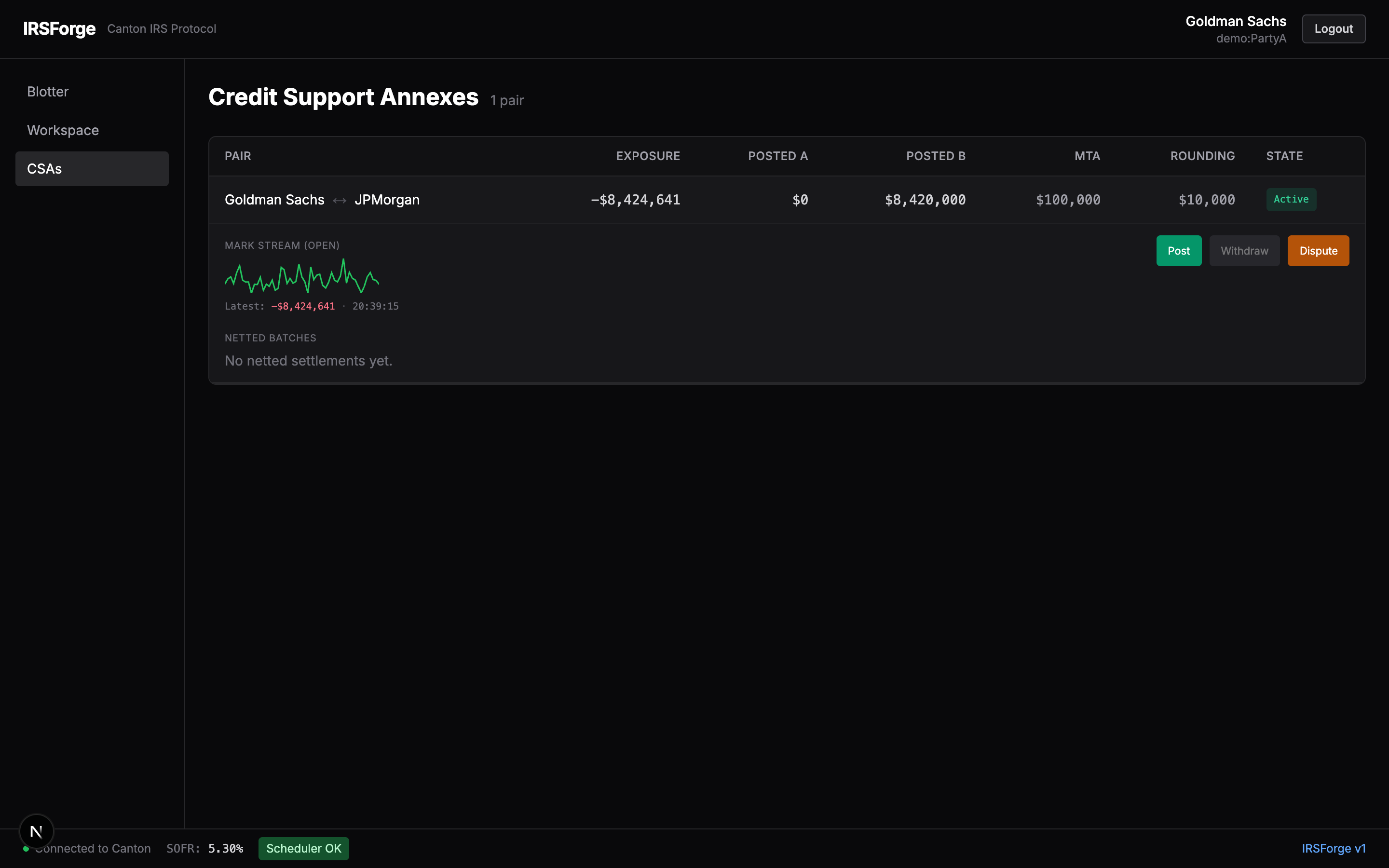
Shows full CSA params (thresholds, MTA, rounding, eligible collateral, ISDA MA reference, governing law, Initial Margin) plus action buttons by role/state. The Regulator CSA Board renders the same metadata fields in a side-by-side card for cross-pair oversight (and hides ISDA MA / Initial Margin rows when the fields aren't set, so an empty placeholder doesn't read as "schema half-wired").
Funding actions (csa-funding-actions.tsx)
| Button | Choice | When | Who |
|---|---|---|---|
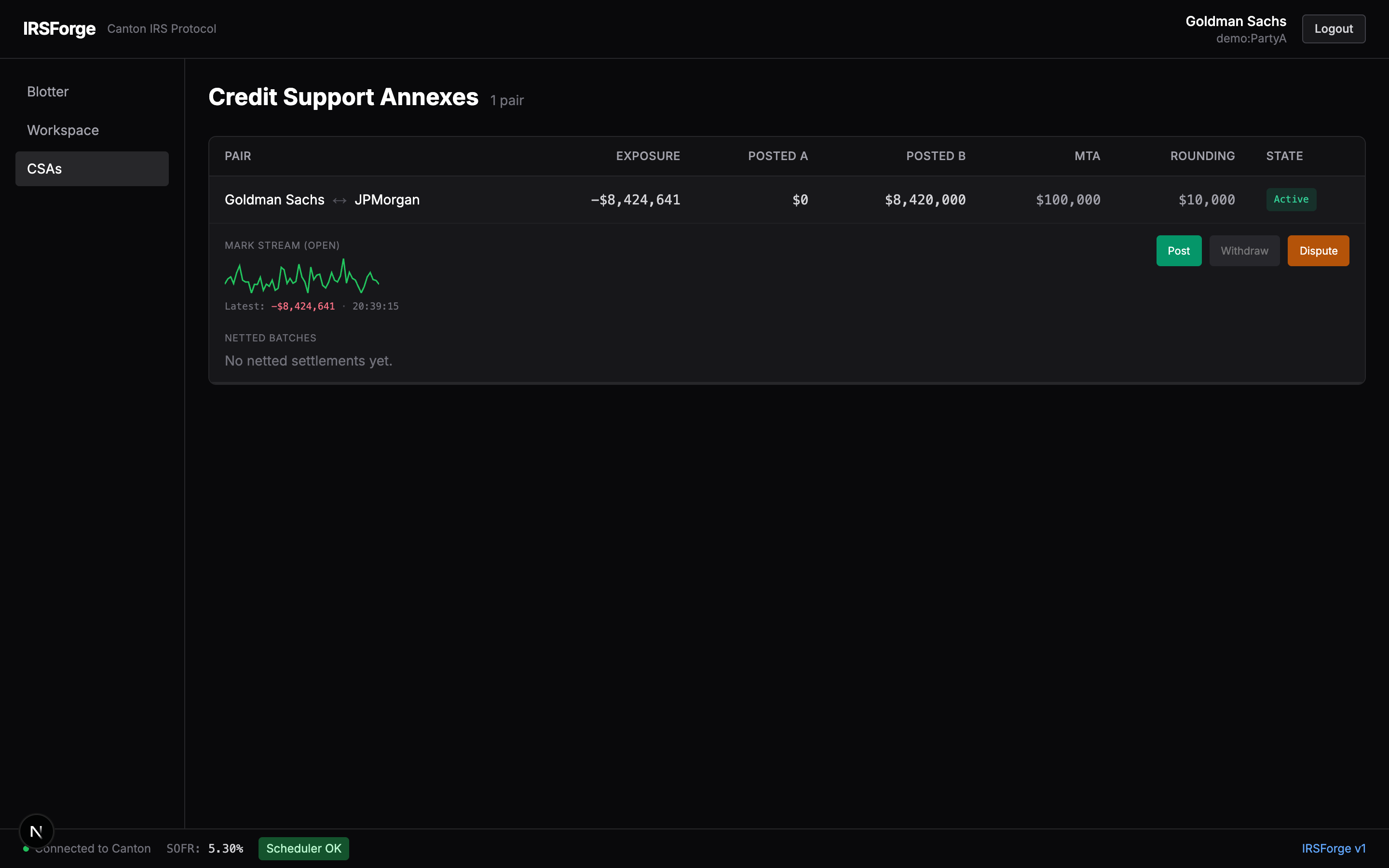
| Post Collateral | PostCollateral | always (open) | poster (A or B) |
| Withdraw Excess | WithdrawExcess | when over-collateralised | either party |
Clicking opens the amount modal:
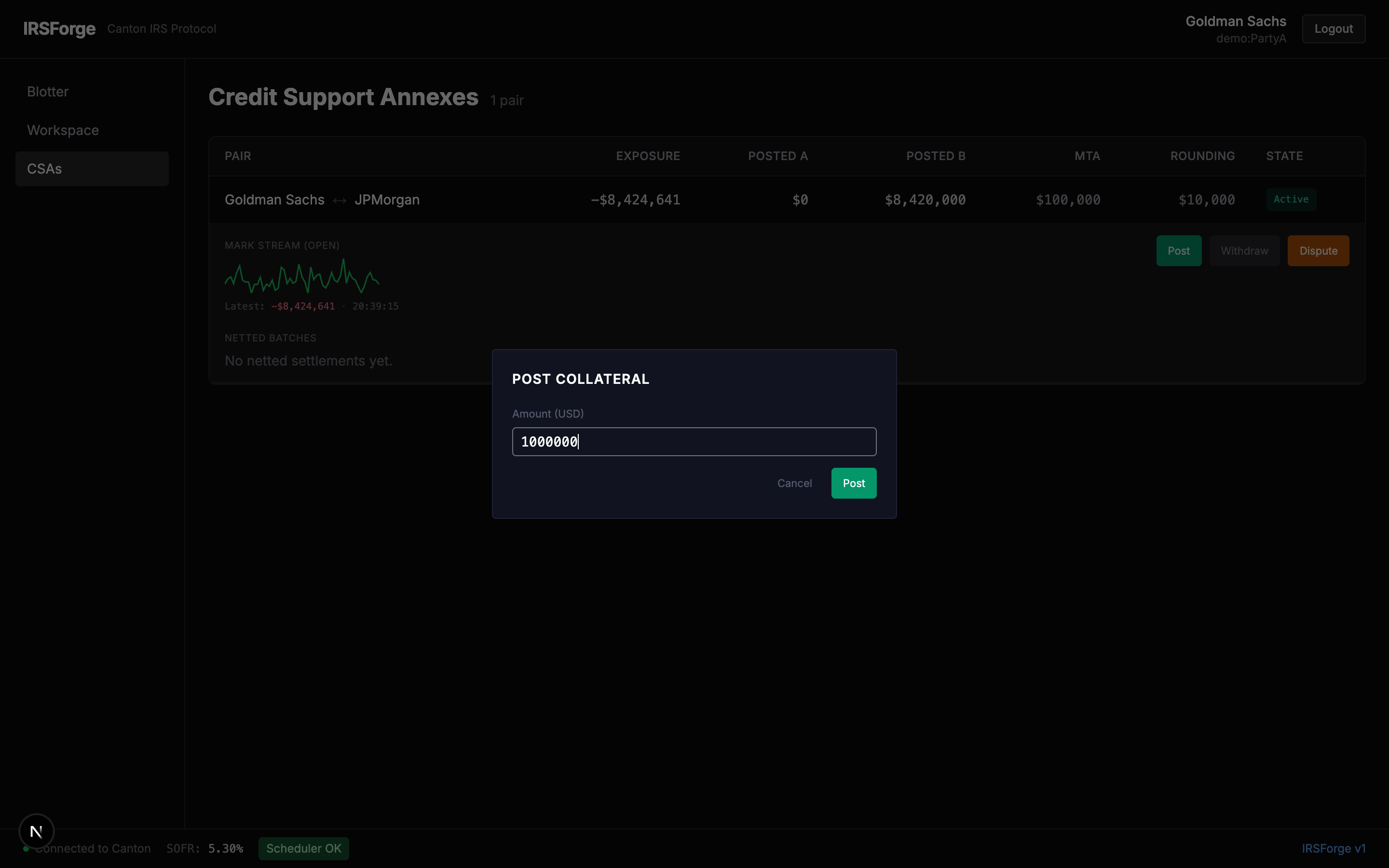
Pick currency from eligibleCollateral, enter amount, submit.
Dispute modal (csa-dispute-modal.tsx)
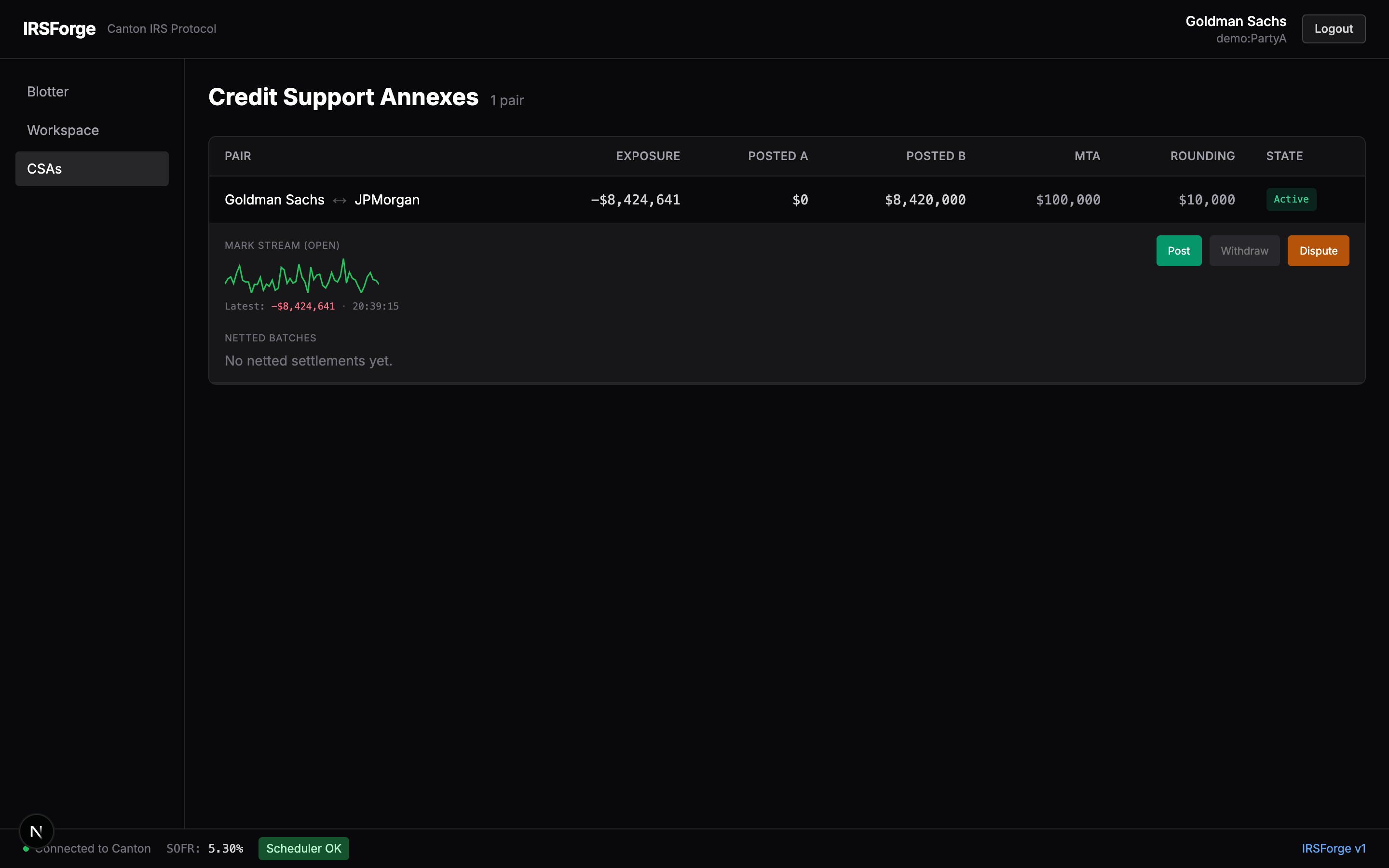
| Field | Meaning |
|---|---|
| Counter mark | Your proposed mark value |
| Reason | Six-value DisputeReason enum: Valuation, Collateral, FxRate, Threshold, IndependentAmount, Other. Defaults to Valuation |
| Notes | Optional free-text. Captures the operator-readable specifics that the v0 free-text reason carried |
Submitting exercises Dispute with (disputer, counterMark, reason, notes). The choice persists a Csa.Dispute:DisputeRecord and transitions the CSA to MarkDisputed. While disputed or escalated, no new marks publish and SettleVm is blocked. Disputing is also valid from MarginCallOutstanding — the existing call is folded into the dispute and the original MarginShortfall record stays as audit.
See CSA Model — Dispute taxonomy and resolution paths for the on-chain shape.
Counterparty actions (dispute-counterparty-actions.tsx)
Visible only when state ∈ {MarkDisputed, Escalated} AND the active party is the non-disputer. The disputer sees nothing — there's no on-chain action they can take while their own dispute is open.
| State | Buttons | Effect |
|---|---|---|
MarkDisputed | Agree + Escalate | AgreeToCounterMark re-publishes the mark at the disputer's counter-mark and returns to Active (no operator). EscalateDispute transitions to Escalated and closes the bilateral exit |
Escalated | Read-only "Escalated — awaiting operator" pill | Only the operator can clear Escalated |
The Agree confirmation modal surfaces the disputer's counterMark, reason, and notes so the counterparty knows what number they're accepting before clicking through.
Operator actions (csa-operator-actions.tsx)
Visible only when activeParty == operator AND state ∈ {MarkDisputed, Escalated}.
| State | Button label | Choice | Effect |
|---|---|---|---|
MarkDisputed | Resolve dispute | AcknowledgeDispute | Re-publishes a fresh mark, archives the DisputeRecord, returns to Active |
Escalated | Resolve escalated dispute | AcknowledgeDispute | Same body — operator-arbitrated unfreeze. The dynamic label flags the more severe state to the operator |
Funding gates while disputed
Post, Withdraw, and Dispute buttons are disabled while state ∈ {MarkDisputed, Escalated}. The CSA is frozen until one of the resolution paths above clears it. This prevents one side from posting against a mark the other side is contesting.
Mark sparkline
Hover for tooltip with timestamp + mark value. Source: MarkSnapshot ACS query merged with live WebSocket. Disputed marks shown in amber.
Contract id rotation
Every choice rotates the Csa contract id (Daml templates are immutable). The frontend resolves CSAs by stable pair key (partyA + partyB) via makeCsaPairResolver, and mutating actions retry on CONTRACT_NOT_FOUND via exerciseCsaWithRetry. Users never see the rotation.
Configurable via yaml
| yaml key | UI effect |
|---|---|
csa.threshold.{DirA,DirB} | Drives the "uncollateralised tolerance" displayed in the drawer |
csa.mta | "Min Transfer Amount" cell |
csa.rounding | "Call rounding" cell |
csa.valuationCcy | Reporting currency |
csa.eligibleCollateral | Currency dropdown in the amount modal |
masterAgreements[] | Pair-level ISDA MA + governing-law registry. When the proposal modal's selected counterparty pair has an entry, ref + law pin as read-only; otherwise the trader fills both as free text. See irsforge.yaml reference. |
demo.csa.initialFunding | Opening signed CSB at boot (demo only) |